Monotron

EBU R128

Soon

A focused broadcast loudness app for checking and fixing files against the EBU R128 TV delivery target.

EBU R128 main window

Built for one-click broadcast loudness QC

EBU R128 packages the Magnetron recipe for European-style TV broadcast loudness into a dedicated Monotron app. Drop in audio, measure it against the target, and only process the files that actually need correction.

The workflow keeps the target, processing tolerance, limiter behavior, export rules, and revalidation together, so repeat delivery work stays consistent from one batch to the next.

EBU R128 will be available as a standalone Monotron download for focused broadcast loudness delivery.

What it does

  • Analyzes source files against the EBU R128 TV broadcast target.
  • Validates integrated loudness, true peak, and tolerance before export.
  • Corrects files that drift outside the configured process tolerance.
  • Applies optional limiting when the required gain change would otherwise clip.
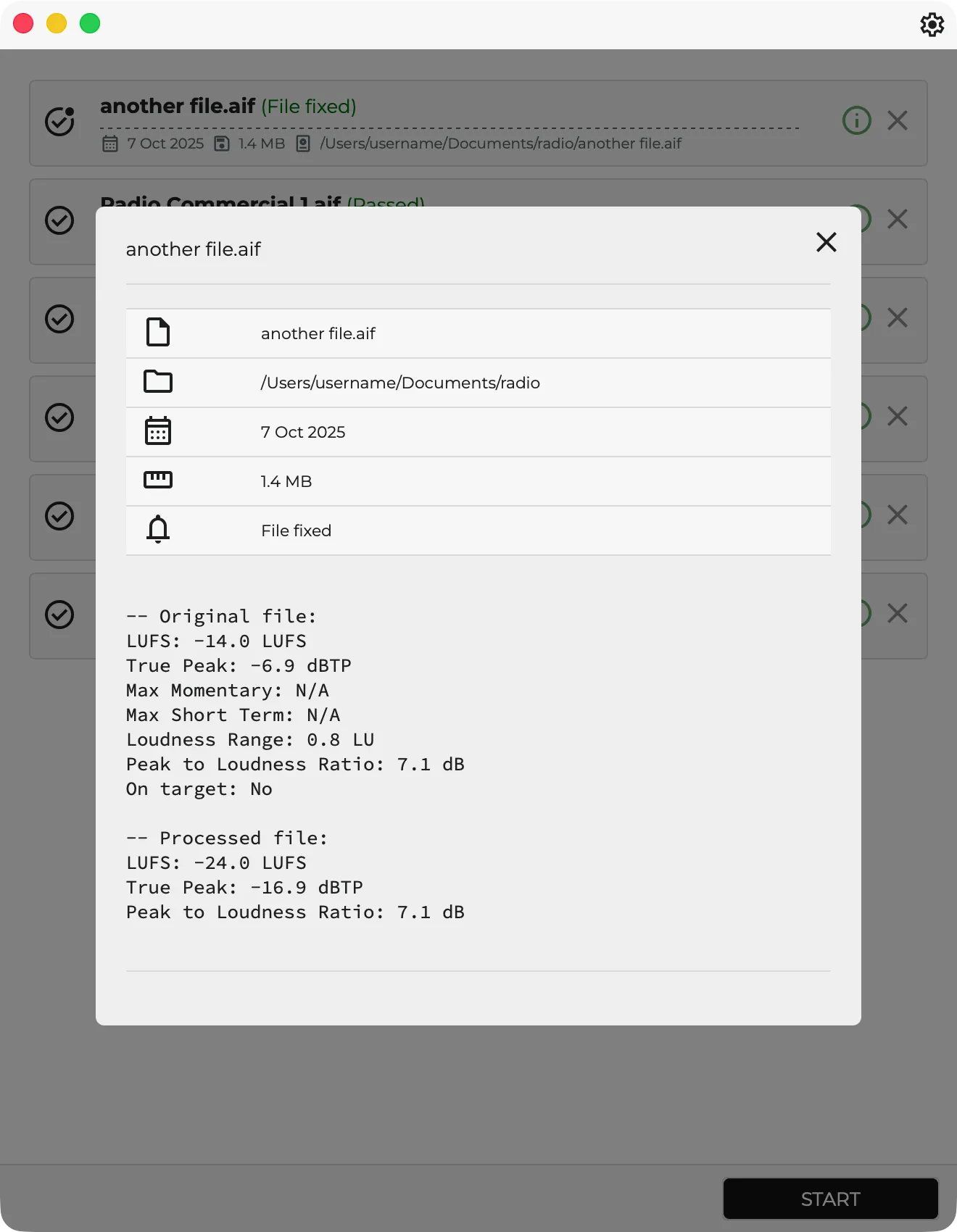
  • Re-measures processed output so the delivered file can be checked again.

The app is designed for practical QC, not just measurement. It helps decide whether a file is already safe to deliver, whether it needs correction, and whether the fixed output landed where expected.
Built-in target

The app starts from the same broadcast profile as the public Magnetron recipe.

  • Integrated loudness: -23 LUFS
  • Allowed tolerance: 0.5 LU
  • True peak ceiling: -1 dBTP
  • Dialog-gated analysis: disabled

The target defines what a valid file should look like, while the editable process tolerance decides when the app should actually rewrite the audio.

Workflow settings

EBU R128 keeps the routine delivery decisions close to the measurement step, so a repeat batch can run without rebuilding the setup.

  • Auto start after adding files
  • Process Tolerance
  • FFmpeg support for additional formats
  • Limiter: none, fast sample-peak, secure true-peak
  • Export: always, ask, never
  • Files: all files or fixed files only
  • Overwrite, Custom Folder, Sub Folder, and Name Tag
  • Revalidate output after processing

Best fit

Use EBU R128 when you repeatedly deliver WAV or AIFF audio to a -23 LUFS broadcast target and want the loudness correction, true-peak guardrail, export behavior, and final validation ready to go every time.

Optional FFmpeg support can extend the workflow to additional audio and container formats, while native audio files remain the most predictable path for analysis, processing, and revalidation.

Also available inside Magnetron

This standalone app comes from the EBU R128 - TV Broadcast Loudness recipe inside Magnetron, so you can keep it focused as a Monotron app or run the same recipe as part of a larger Magnetron workflow.

View the recipe | Back to all apps