Recipe
Download Video
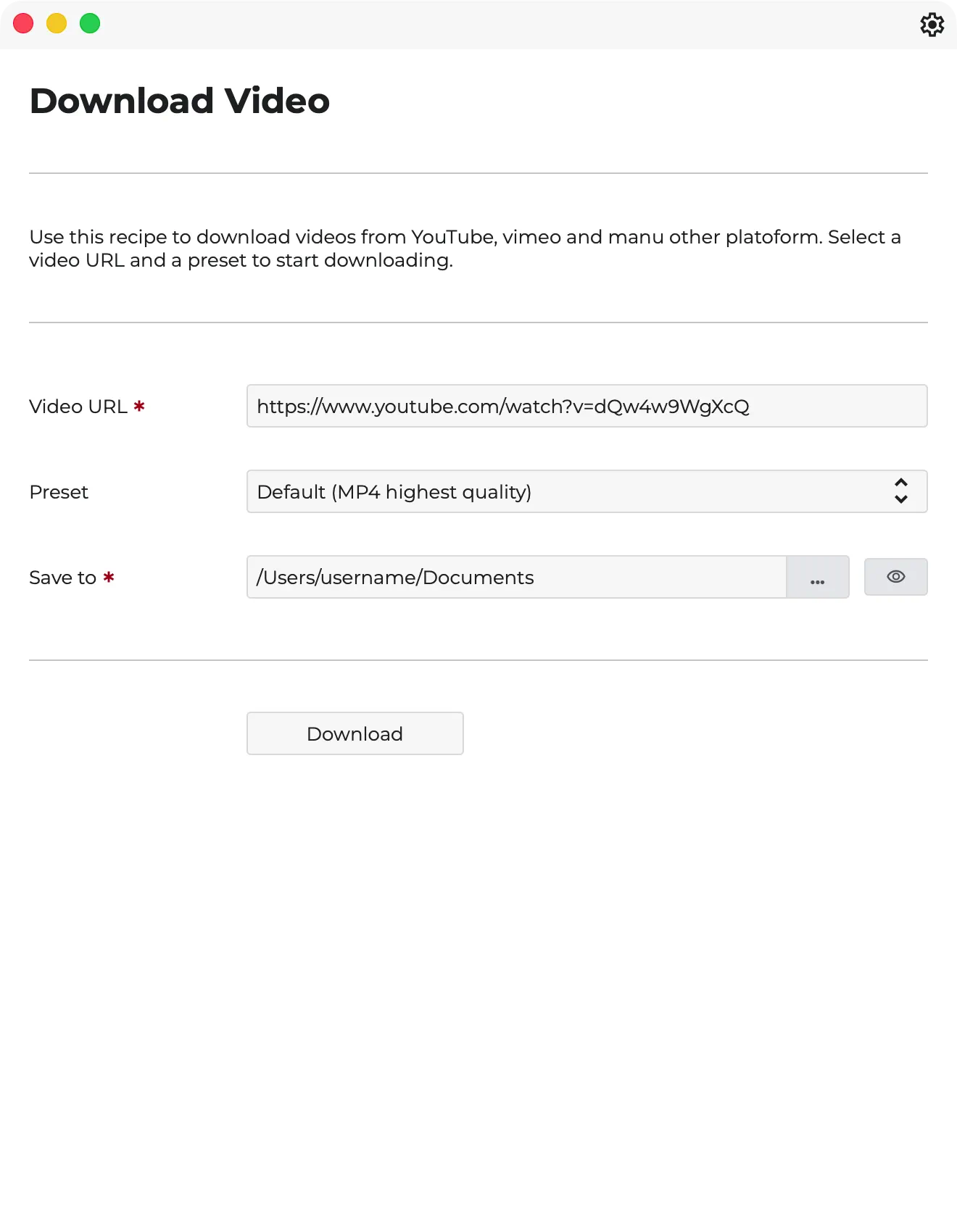
This recipe downloads a video from a given URL and saves it to the specified directory.
Download Video is a utility recipe for pulling source material directly from online platforms into your Magnetron workflow. It is ideal when the starting point for the job lives on YouTube, Vimeo, or another supported service and you want the download step to feel like part of the production pipeline instead of a side task.
- Download source media from a supplied URL.
- Save incoming files directly into a chosen working directory.
- Choose presets for default MP4, ProRes, audio-only, or video-only downloads.
- Reduce manual download, remuxing, and file-management steps.
The recipe uses Magnetron together with yt-dlp and ffmpeg to fetch the media, remux or transcode it when needed, and write the result straight to disk so the file can move into the next production step immediately.
Available Presets
- Default MP4 highest-quality download
- ProRes 422 conversion
- Audio only: default, MP3 192k, WAV
- Video only: MP4 default or ProRes 422
Workflow
- Paste a valid
httporhttpsURL - Choose a preset
- Select the output folder
- Start the download and monitor progress inside Magnetron
That makes Download Video especially handy for reference pulls, social source collection, remote ingest, and any job where online material needs to land in the project quickly and cleanly.
Screenshots
Recipe screenshots
